
- Name
- Tison Brokenshire
Updated on
Best AI Meeting Notes Apps in 2026: 6 Tools Compared
Meetings create more text than most teams can process. You have transcripts, action items, follow-ups, Slack updates, CRM notes, and screenshots from slides or whiteboards. The hard part is not generating notes anymore. The hard part is choosing the tool that fits the way your meetings actually happen.
That is why broad "best meeting assistant" listicles often disappoint. Some tools are built for live transcription. Some are built for Chrome-first workflows. Some avoid bots entirely. Some are better once the meeting is over and you need to clean up visual context.
This guide compares the best AI meeting notes apps in 2026 by job-to-be-done, not by hype. If you need a short answer: choose Otter.ai for reliable meeting transcription, Fireflies.ai for richer automation and analytics, Notion AI Meeting Notes if your team already works in Notion, Granola if you want no-bot notes, Tactiq if your workflow starts in Chrome, and Pixno if slides or whiteboards matter as much as the spoken conversation.
Quick Comparison Table
| Tool | Best For | Bot Required | Live Transcription | Meeting Analytics | Starting Price |
|---|---|---|---|---|---|
| Otter.ai | Searchable meeting transcripts | Usually yes | Yes | Light | Free; Pro from $8.33/user/mo annual |
| Fireflies.ai | Teams that want automation + insights | Optional in some workflows | Yes | Strong | Free; Pro from $10/seat/mo annual |
| Notion AI Meeting Notes | Teams already in Notion | No | Yes | Medium | Business from $20/member/mo |
| Granola | Personal no-bot meeting notes | No | Yes | Light | Free; Business from $14/user/mo |
| Tactiq | Chrome-first Google Meet users | No | Yes | Medium | Free; Pro from $8/user/mo annual |
| Pixno | Post-meeting slides, screenshots, whiteboards | No | Audio only | No | From $3/mo |
Start Here: Which App Fits Your Meeting Workflow?
| If your main need is... | Best fit | Why |
|---|---|---|
| searchable transcripts across lots of meetings | Otter.ai | It is still the cleanest choice for turning recurring meetings into a searchable archive. |
| more AI workflows, analytics, and integrations | Fireflies.ai | It pushes further into summaries, task extraction, analytics, and downstream automation. |
| no bot and no extra tool-switching | Notion AI Meeting Notes | It records and summarizes directly inside the workspace where projects and docs already live. |
| no-bot personal notes with a lighter feel | Granola | It is optimized for the person in the meeting, not for the whole company system. |
| browser-first note-taking in Google Meet | Tactiq | Its Chrome-based workflow is simpler than a full bot setup for many users. |
| meetings that depend on slides or whiteboards | Pixno | Most meeting tools miss visual context; Pixno is useful after the call for that gap. |
1. Otter.ai
Best for: teams that want dependable live transcription and a strong searchable archive.
Otter remains the most straightforward answer for "best AI meeting notes app" because it solves the core meeting problem cleanly. It joins Zoom, Google Meet, and Microsoft Teams meetings, generates real-time transcripts, identifies speakers, and keeps your meeting history searchable afterward.
The main reason to pick Otter in 2026 is not novelty. It is reliability. If your team runs lots of recurring syncs, sales calls, or internal review meetings and you care more about consistent transcript coverage than fancy post-call analytics, Otter is still the easiest recommendation.
Where Otter wins
- Searchable history across many meetings
- Strong transcript-first workflow
- Mobile apps and multi-language support
- Lower starting price than many business-focused tools
Where Otter falls short
- It is still primarily an audio meeting tool
- Visual materials like slides or whiteboards are not its strength
- Teams that want deeper analytics often outgrow it
2. Fireflies.ai
Best for: teams that want meeting notes plus more automation, analytics, and system integrations.
Fireflies is the better fit when transcription is only the first layer. It records meetings, creates summaries, supports live notes, and extends further into conversation intelligence, team analytics, AI apps, and integrations.
Compared with Otter, Fireflies feels more "operations-heavy." It is especially attractive for revenue, customer success, recruiting, and other teams that want meeting data to flow into a larger workflow instead of living only as transcripts.
Where Fireflies wins
- Stronger analytics and conversation intelligence
- More downstream workflow potential
- Chrome extension and mobile support
- 100+ language coverage
Where Fireflies falls short
- More feature surface means more complexity
- Some advanced value only shows up on higher tiers
- Like Otter, it is still mainly audio-first
3. Notion AI Meeting Notes
Best for: teams that already run docs, projects, and decisions inside Notion.
Notion AI Meeting Notes is the strongest no-bot choice for teams already committed to the Notion workspace. Instead of creating one more meeting silo, it captures the conversation and turns it directly into summaries, action items, and follow-up work in the same system where the rest of the project already lives.
That matters. Many teams do not need "the best standalone meeting tool." They need meeting notes that land in the same place as tasks, docs, specs, and decisions. That is Notion's advantage.
Where Notion wins
- No bot required
- Works directly inside Notion
- Summaries and action items connect naturally to project docs
- Good fit for teams that hate tool sprawl
Where Notion falls short
- Requires Business or Enterprise for full meeting-notes value
- Best for teams already standardized on Notion
- Not the strongest option if you mainly want a transcript archive
4. Granola
Best for: people who want no-bot notes and a lighter, more personal meeting workflow.
Granola is not trying to be the most enterprise-heavy platform in the category. Its appeal is that it feels closer to a smart personal notepad than a company surveillance layer. It listens to the meeting, uses what it hears plus what you write, and turns that into cleaner notes afterward.
That makes it useful for founders, managers, consultants, and individual contributors who want high-quality notes without adding a visible bot to every call.
Where Granola wins
- No meeting bot
- Cleaner personal workflow than many sales-oriented tools
- Multi-language support
- Good integrations for sharing notes outward after the meeting
Where Granola falls short
- Lighter on analytics than Fireflies
- Less suitable if you want organization-wide transcript controls everywhere
- Not the tool to choose for heavy visual capture or deep CRM intelligence
5. Tactiq
Best for: Chrome-first meeting notes, especially around Google Meet.
Tactiq earns its place because many users do not want a separate meeting bot at all. They want transcripts and AI insights directly in the browser, especially during Google Meet calls. Tactiq is the most practical fit for that workflow.
It also has clearer pricing for individuals than many enterprise-first tools, with a free tier and an affordable Pro plan. If your meeting workflow begins in Chrome and you care about transcripts, AI-generated insights, and exportability without a larger platform commitment, Tactiq is a strong choice.
Where Tactiq wins
- Chrome-first workflow
- Good fit for Google Meet users
- Clear individual pricing
- Useful AI insights without heavy setup
Where Tactiq falls short
- Weaker as a long-term system of record than Otter or Fireflies
- Less compelling if your meetings are not browser-centric
- Still mainly about transcript and summary, not visual context
6. Pixno
Best for: meetings where slides, screenshots, tables, diagrams, or whiteboards matter after the call.
Pixno is not a direct replacement for Otter, Fireflies, or Tactiq. It fills the part those tools usually miss.
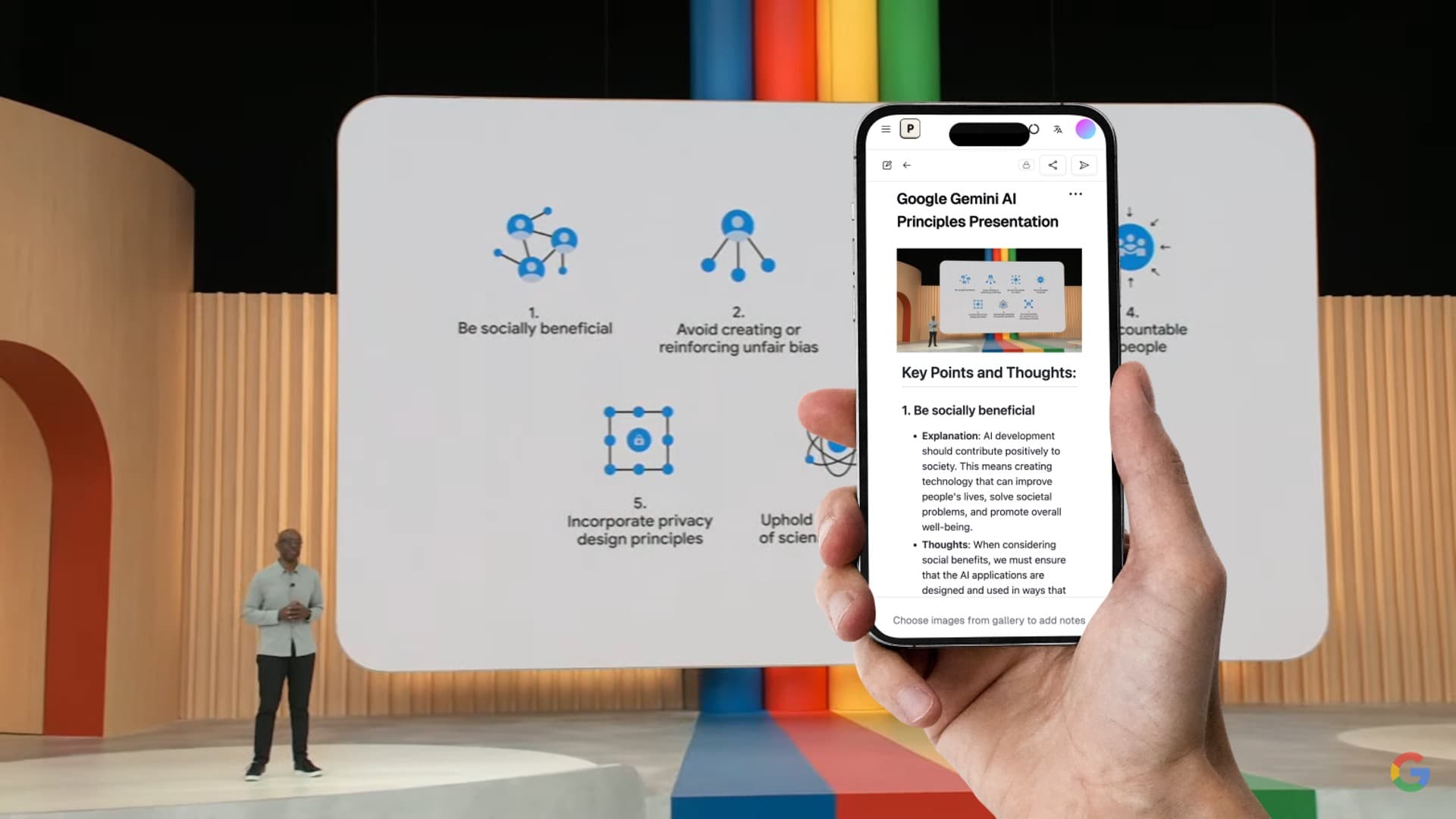
Most AI meeting note apps are built around audio. That works for status updates and straight conversation. It fails when the real value of the meeting is sitting in screenshots, slide decks, diagrams, PDF handouts, or whiteboard photos. In those meetings, your transcript alone is incomplete.
That is where Pixno fits. After the meeting, upload the slides, the screen captures, or the whiteboard photos, then turn them into structured notes that can sit next to the transcript. For product reviews, workshops, technical planning, and teaching sessions, that is often the missing layer.
Where Pixno wins
- Best option here for visual meeting artifacts
- Useful for post-call cleanup when slides matter
- Better than raw OCR for tables, layouts, and diagrams
Where Pixno falls short
- Not a bot-style live meeting recorder
- Best as a companion tool, not a full meeting system of record
Turn photos to notes and knowledge base
Pixno is your AI note taking assistant that turn photos, audio, docs into well structured text notes and create your personal knowledge base.
Get StartedWhich AI Meeting Notes App Is Best?
The answer depends on the type of meeting:
| Meeting Type | Best Pick | Runner-Up |
|---|---|---|
| recurring internal syncs | Otter.ai | Notion AI Meeting Notes |
| sales and customer calls | Fireflies.ai | Otter.ai |
| founder, manager, or consultant calls without bots | Granola | Notion AI Meeting Notes |
| Google Meet in Chrome | Tactiq | Otter.ai |
| project meetings already documented in Notion | Notion AI Meeting Notes | Fireflies.ai |
| slide-heavy or whiteboard-heavy meetings | Pixno | Pair with Otter.ai or Fireflies.ai |
Pricing Snapshot
These prices can change, but the relative positioning is stable enough to guide tool choice:
| Tool | Free Plan | Paid Start | Pricing Read |
|---|---|---|---|
| Otter.ai | Yes | $8.33/user/mo annual | Strong value for transcript-first teams |
| Fireflies.ai | Yes | $10/seat/mo annual | Better if you use the analytics and AI layers |
| Notion AI Meeting Notes | Limited trials on lower tiers | Business $20/member/mo | Worth it only if you already live in Notion |
| Granola | Yes | $14/user/mo | Good value for no-bot personal notes |
| Tactiq | Yes | $8/user/mo annual | Efficient for Chrome-first individuals |
| Pixno | Limited free credits | $3/mo | Cheap add-on for visual context after meetings |
What Most Teams Get Wrong
The biggest mistake is choosing one app and expecting it to solve every note-taking problem.
- Audio-first meetings: choose Otter.ai, Fireflies.ai, Notion, Granola, or Tactiq.
- Visual-first meetings: add Pixno after the meeting.
- Teams already inside one workspace: prefer Notion.
- Teams needing analytics and workflow automation: prefer Fireflies.ai.
- People who just want good notes without a bot: prefer Granola.
That is the real market split. It is not "which AI meeting note app is universally best?" It is "which one matches how your meetings actually happen?"
Related Reading
- Best AI Note-Taking Apps in 2026 — Broader comparison across meetings, lectures, iPhone, and study workflows
- Otter.ai vs Fireflies.ai vs Notion AI vs Mem vs Reflect 2026 — Compare live meeting tools with personal AI note systems
- Best Otter.ai Alternatives for AI Note-Taking — Privacy-first alternatives to Otter.ai
- Free AI Note Generator Tools Compared — Free options for notes from slides, images, and audio
FAQ
What is the best AI meeting notes app in 2026?
Otter.ai is the strongest default choice if you want reliable live transcription and searchable meeting history. Fireflies.ai is stronger if you want more analytics and workflow automation. Notion AI Meeting Notes is the better choice if your team already manages work inside Notion.
Which AI meeting notes app works without a bot?
Notion AI Meeting Notes, Granola, and Tactiq can all work without sending a meeting bot into the call. Granola is best for lightweight personal notes, Notion is best for teams already in the Notion workspace, and Tactiq is best if your workflow starts in Chrome.
Which tool is best for Google Meet?
Tactiq is the best Chrome-first option for Google Meet because it works directly in the browser. Otter.ai and Fireflies.ai are better if you want a fuller meeting-record system with searchable history, summaries, and broader integrations.
Can AI meeting notes apps capture slides and whiteboards?
Most meeting note apps focus on audio, not visual context. If your meeting depends on slides, screenshots, diagrams, or whiteboard photos, use a visual note tool like Pixno after the call to turn those artifacts into structured notes.
Which meeting note app is best for multilingual meetings?
Otter.ai and Fireflies.ai are the safest options when multilingual transcription matters because both support 100+ languages. Granola also supports multi-language use, but Otter and Fireflies are the stronger picks when transcription coverage is the main requirement.