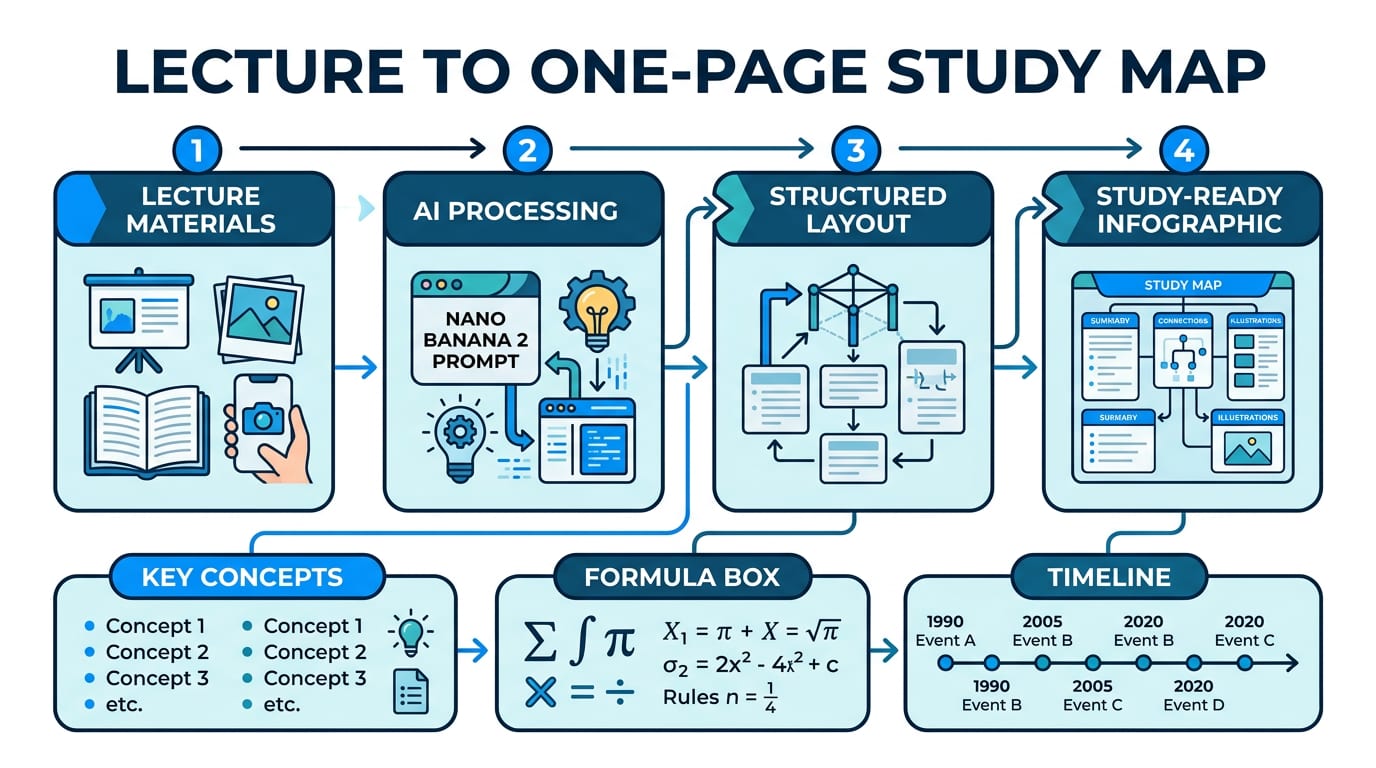
Use Case 1: Lecture -> One-Page Study Map
Convert class slides and board photos into one structured infographic with concepts, formulas, and timeline blocks.
Turn one prompt into polished study images with Pixno's image generation workspace. This page targets Nano Banana 2 workflows: handwritten notes, bilingual blackboard diagrams, and visual explainers.
Press Enter to continue in Pixno
Type a prompt and press Send. We will take you to sign in, then continue in Pixno image generation.
These three infographic workflows are the main value path: compress lectures, explain core physics concepts, and produce exam-ready visual packs.
Convert class slides and board photos into one structured infographic with concepts, formulas, and timeline blocks.
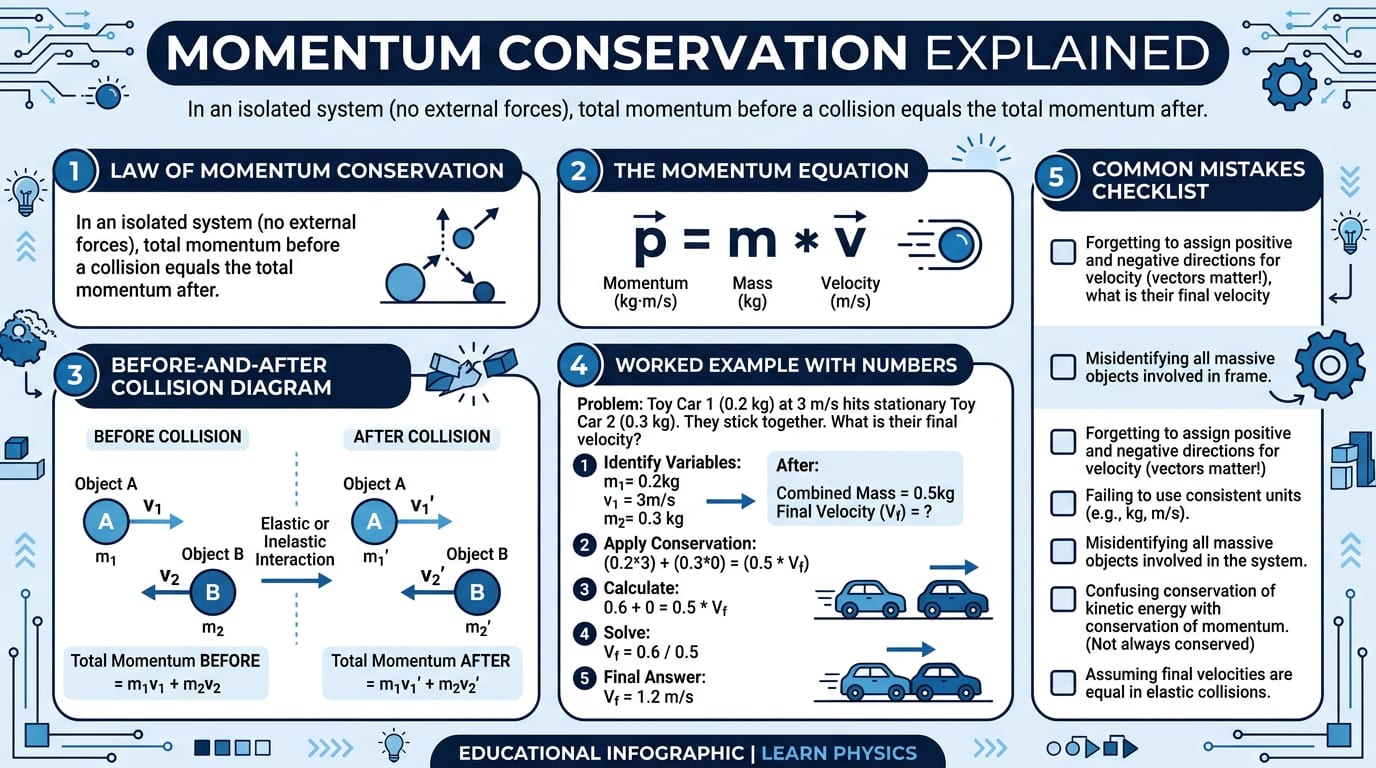
Turn collision notes into a teaching infographic with equations, diagram flow, and common error checklist.
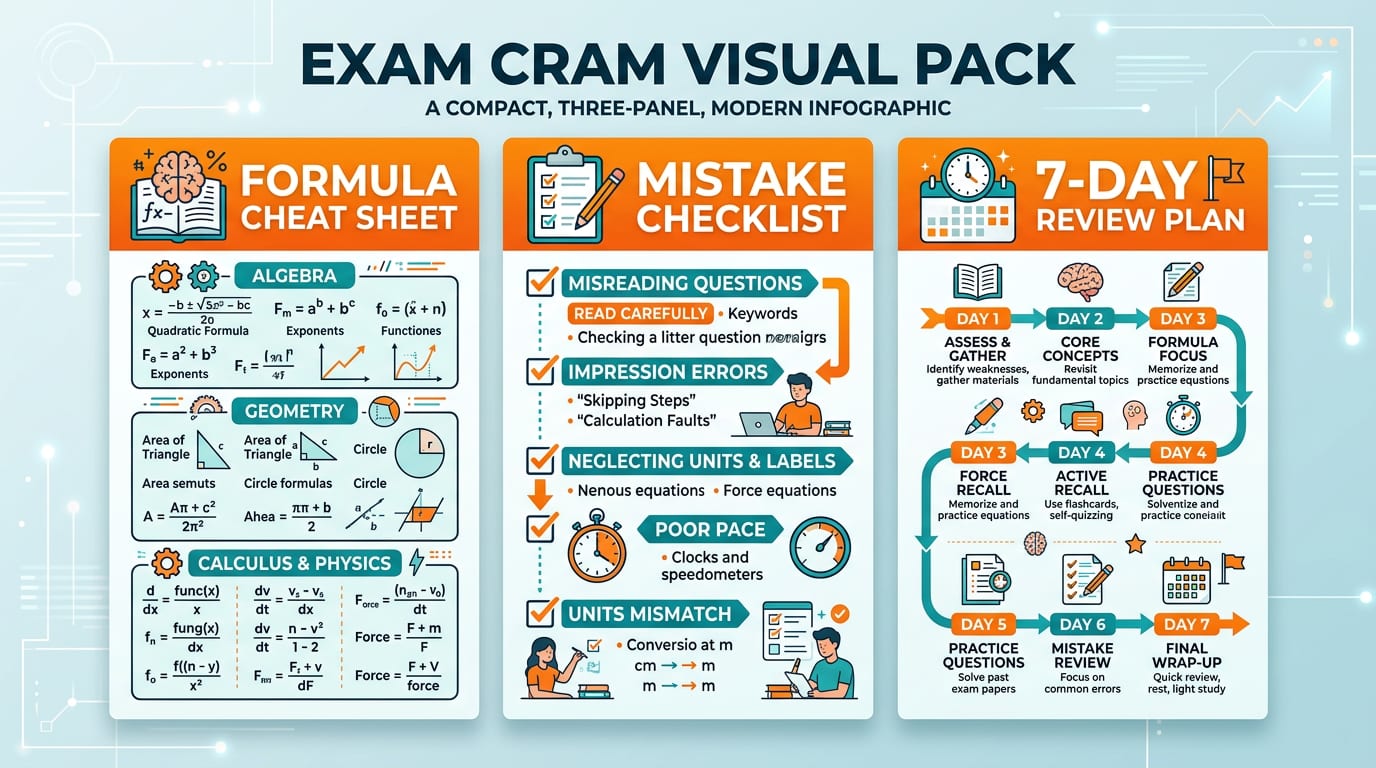
Generate formula sheets, mistake checklists, and 7-day review plans as compact infographics for faster revision.

Original classroom board in language A (English).
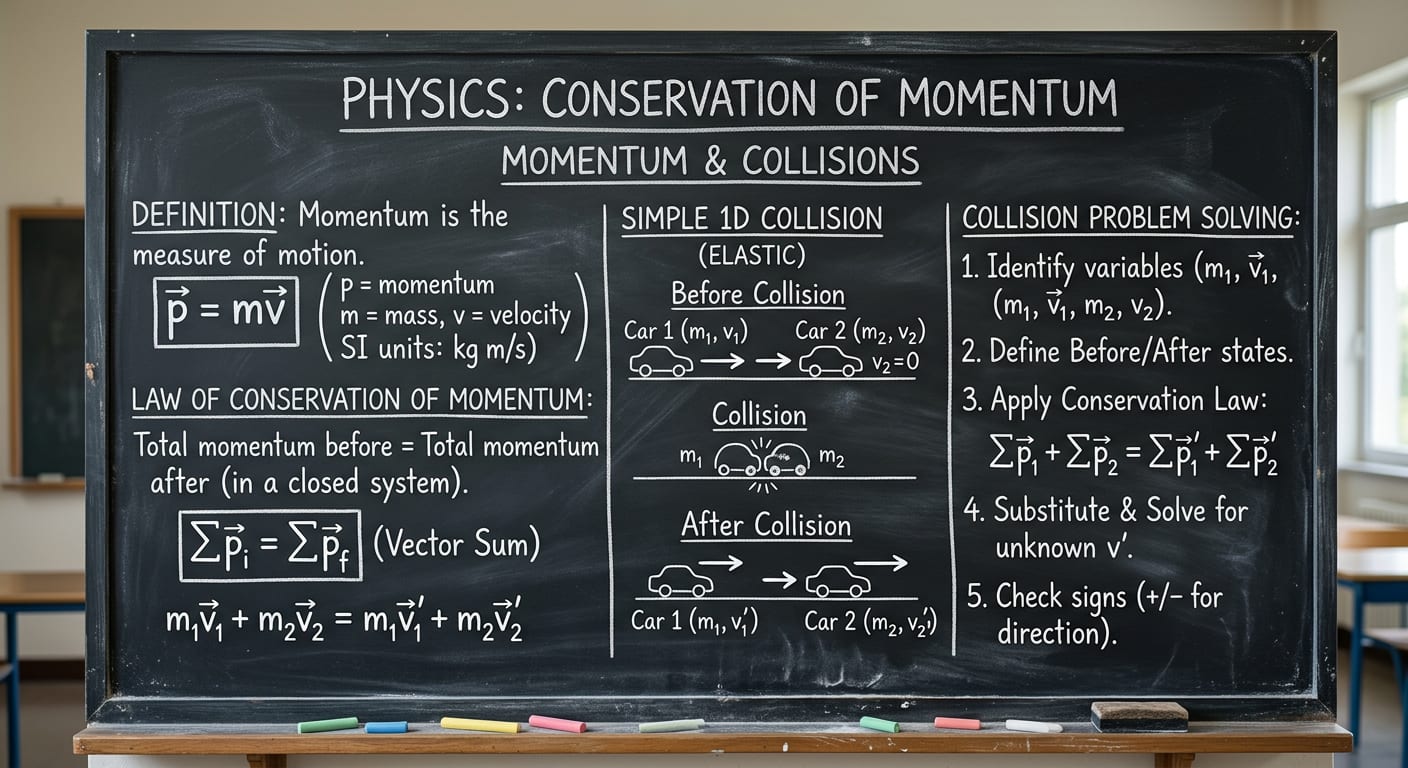
Step-by-step momentum and collision explanation on a classroom blackboard.
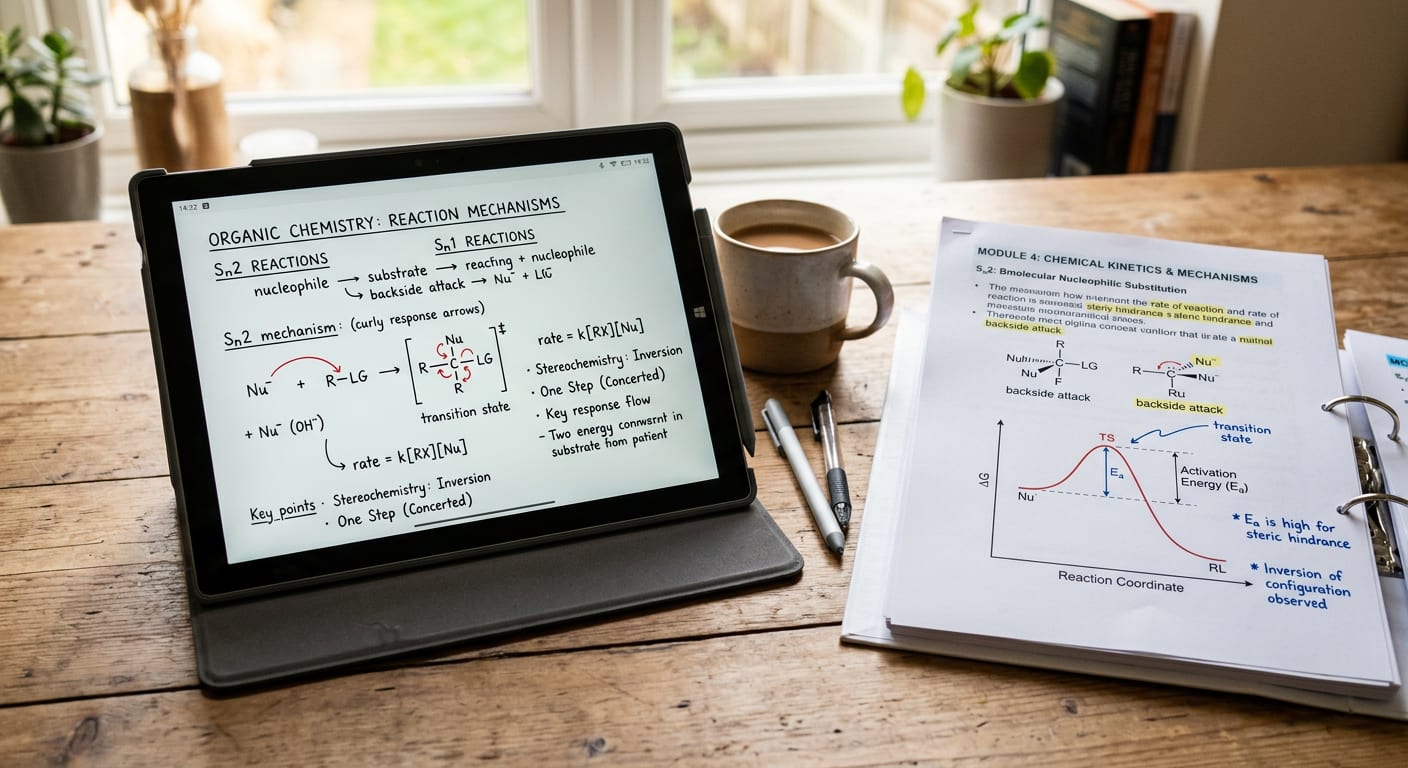
A second study scenario for generating clean, structured visual notes.