
- Name
- Tison Brokenshire
Updated on
Best AI Tools in 2026: 12 Top Picks for Work, Study, and Creativity
AI tools are everywhere in 2026. Every app claims to be "AI-powered." Every startup promises to "10x your productivity." The result is a crowded, confusing market where finding the right tool for your actual workflow takes more time than the tool saves you.
The real problem isn't a lack of AI tools — it's too many of them. You try three different writing assistants, two image generators, and a handful of productivity apps before realizing you've spent a whole week evaluating tools instead of doing work. Most "best AI tools" lists make this worse by listing 50+ tools without explaining which ones actually matter for specific tasks.
This guide cuts through the noise. Here are 12 AI tools that have proven their value across millions of users in 2026 — organized by what you actually need to accomplish, with honest assessments of where each tool excels and where it falls short.
Quick Comparison: Best AI Tools by Category
| Tool | Category | Best For | Free Tier | Paid Starting Price |
|---|---|---|---|---|
| Pixno (opens in a new tab) | Note-Taking & OCR | Images, slides, visual content → notes | 50 credits/mo | $3/mo |
| ChatGPT | General AI Assistant | Writing, analysis, conversation | Yes (GPT-4o) | $20/mo |
| Claude | AI Assistant | Long documents, reasoning, coding | Yes | $20/mo |
| Perplexity | AI Search | Research with source citations | 5 Pro/day | $20/mo |
| Midjourney | Image Generation | High-quality art and visuals | No | $10/mo |
| GitHub Copilot | Code Assistant | Autocomplete, code generation | Free (students) | $10/mo |
| Notion AI | Workspace AI | Project management + writing | Limited trial | $12/user/mo |
| Canva AI | Design | Marketing materials, presentations | Yes | $13/mo |
| Otter.ai | Meeting Notes | Real-time meeting transcription | 300 min/mo | $8.33/mo |
| Google NotebookLM | Research | Document synthesis and Q&A | Free | Free |
| ElevenLabs | Voice & Audio | Text-to-speech, voice cloning | 10 min/mo | $5/mo |
| Runway | Video Generation | AI video creation and editing | 125 credits | $12/mo |
Productivity & Note-Taking
1. Pixno — Best for Turning Visual Content into Notes
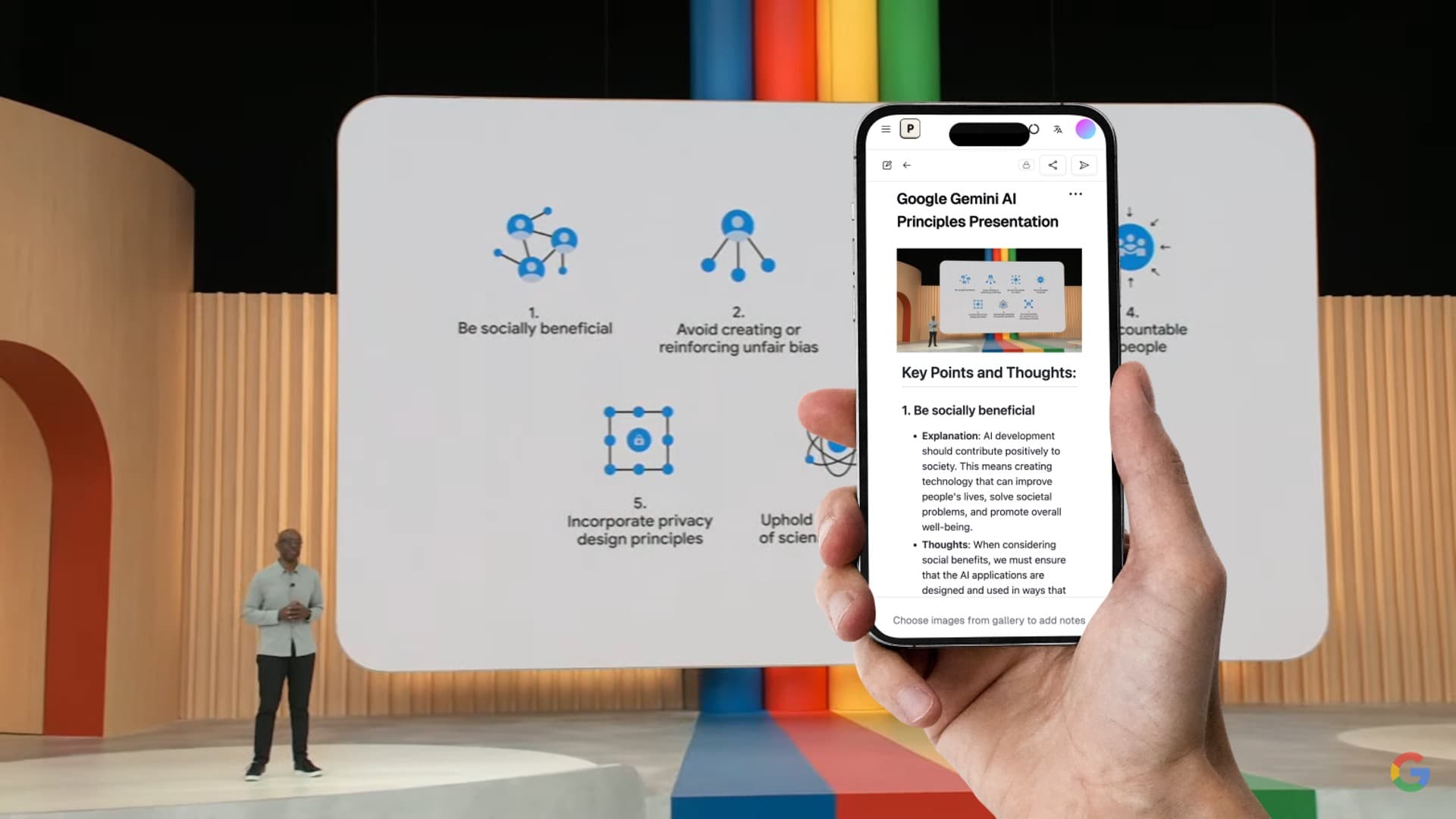
Most AI tools handle text well but struggle with visual information. Pixno (opens in a new tab) solves a specific problem that other tools ignore: converting images, slides, photos, and handwritten content into structured, organized notes.
Upload a photo of a whiteboard from a meeting, a slide deck from a lecture, or a page from a textbook. Pixno doesn't just extract raw text like basic OCR — it understands context, recognizes layouts, and produces clean notes with headings, bullet points, and key takeaways.
What makes it stand out:
- Converts PowerPoint slides, PDFs, photos, and handwritten notes into structured text
- Understands charts, diagrams, and complex page layouts
- Supports 50+ languages for multilingual content
- Exports to Markdown, Notion, and Google Docs
- Batch processing for multiple images at once
Best for: Students converting lecture slides into study notes, professionals capturing whiteboard content from meetings, researchers extracting information from visual documents.
Pricing: Free tier with 50 credits/month. Paid plans start at $3/month.
Related: See our detailed comparison of AI note-taking apps and free AI note generators.
2. Notion AI — Best All-in-One Workspace with AI
Notion added AI features directly into its popular workspace app. Instead of switching between a writing assistant and your project management tool, Notion AI works inside the documents, databases, and wikis you already use.
Key capabilities:
- Summarize meeting notes and long documents
- Draft content from prompts within Notion pages
- Auto-fill database properties using AI
- Search across your entire workspace with natural language
Limitations: AI features require a separate add-on ($12/user/month on top of the base plan). The AI works best with text content — it can't process images or slides into notes like specialized tools.
Best for: Teams already using Notion who want AI embedded in their existing workflow.
3. Otter.ai — Best for Meeting Transcription
Otter.ai dominates real-time meeting transcription. It joins your Zoom, Google Meet, or Teams calls automatically, transcribes everything, and generates summaries with action items.
Key capabilities:
- Automatic meeting join and real-time transcription
- Speaker identification and attribution
- Post-meeting summaries with key decisions and action items
- Integration with Salesforce, HubSpot, and Slack
Limitations: Only handles audio/meetings. Cannot process images, slides, or written content. Accuracy drops with heavy accents or technical jargon.
Best for: Professionals with back-to-back meetings who need reliable transcription without manual note-taking.
AI Assistants & Research
4. ChatGPT — Best General-Purpose AI Assistant
ChatGPT remains the most versatile AI tool in 2026. OpenAI's GPT-4o model handles writing, coding, analysis, math, and creative tasks in a single conversational interface.
Key capabilities:
- Text generation, editing, and summarization
- Code writing and debugging across programming languages
- Image understanding and generation (DALL-E)
- Web browsing for current information
- Custom GPTs for specialized tasks
Limitations: Responses can be confidently wrong (hallucination). Long conversations lose context. The free tier has usage caps during peak hours.
Best for: Everyday writing tasks, quick coding help, brainstorming, and general-purpose Q&A.
5. Claude — Best for Long Documents and Complex Reasoning
Anthropic's Claude stands apart with its ability to process very long documents (up to 200,000 tokens) and its strength in nuanced reasoning tasks. Where ChatGPT excels at quick interactions, Claude shines when you need to analyze a 100-page report or work through complex, multi-step problems.
Key capabilities:
- 200K token context window for long document analysis
- Strong performance on coding and technical tasks
- Careful, detailed reasoning with fewer hallucinations
- Artifact creation (code, documents, visualizations)
Limitations: Slower response times on complex queries. No native image generation. Smaller plugin/integration ecosystem compared to ChatGPT.
Best for: Researchers analyzing long documents, developers working on complex codebases, professionals who need precise and thorough analysis.
6. Perplexity — Best AI-Powered Search Engine
Perplexity replaces the traditional search-then-read workflow. Ask a question and get a direct answer with cited sources — no clicking through 10 blue links to find what you need.
Key capabilities:
- Direct answers with inline source citations
- Follow-up questions for deeper exploration
- Focus modes (Academic, Writing, Math, Video)
- Collections for organizing research threads
Limitations: Pro search is limited to 5/day on the free plan. Sometimes surfaces outdated sources. Answers can oversimplify complex topics.
Best for: Quick factual research, academic literature review, staying current on industry trends.
Creative & Design Tools
7. Midjourney — Best AI Image Generator
Midjourney produces the highest-quality AI-generated images for artistic and commercial use. Version 6.1 delivers photorealistic results and precise text rendering that competitors still can't match consistently.
Key capabilities:
- Photorealistic and artistic image generation
- Precise text rendering in images
- Style consistency across multiple generations
- High-resolution output suitable for print
Limitations: No free tier (starts at $10/month). Operates through Discord, which can feel clunky. Limited editing controls compared to dedicated design tools.
Best for: Designers, marketers, and content creators who need high-quality visual assets.
8. Canva AI — Best for Non-Designers
Canva's AI features bring design capabilities to people who aren't designers. Magic Design generates complete layouts from a text prompt. Magic Write handles copy. Background Remover and Magic Eraser handle photo editing.
Key capabilities:
- Full presentation, social post, and document design from prompts
- AI-powered photo editing (background removal, object erasing)
- Brand consistency tools for teams
- Massive template library enhanced by AI suggestions
Limitations: Advanced AI features require Canva Pro. Generated designs can feel generic without customization. Not suitable for complex, original artwork.
Best for: Small business owners, social media managers, and anyone who needs professional-looking designs without Photoshop skills.
9. ElevenLabs — Best Text-to-Speech and Voice AI
ElevenLabs leads voice synthesis with natural-sounding text-to-speech across 32 languages. Clone your own voice, generate audiobook narration, or create voiceovers for videos — all from text input.
Key capabilities:
- Ultra-realistic voice synthesis in 32 languages
- Voice cloning from short audio samples
- Real-time voice translation (speak in one language, output in another)
- API for developers building voice-enabled apps
Limitations: Voice cloning raises ethical concerns (deepfakes). Free tier limited to 10 minutes/month. Premium voices cost more.
Best for: Content creators making podcasts or videos, educators creating multilingual materials, developers building voice interfaces.
10. Runway — Best AI Video Generation
Runway's Gen-3 Alpha model makes AI video generation practical. Generate short video clips from text prompts or images, remove backgrounds from video, and apply style transfers — tasks that previously required hours of manual editing.
Key capabilities:
- Text-to-video and image-to-video generation
- Video background removal and inpainting
- Motion tracking and style transfer
- Green screen replacement without a green screen
Limitations: Generated videos are short (currently up to 10 seconds). Quality is inconsistent, especially with human faces and hands. Credits deplete quickly on complex generations.
Best for: Video editors, social media creators, and filmmakers prototyping visual concepts.
Developer & Coding Tools
11. GitHub Copilot — Best AI Coding Assistant
GitHub Copilot integrates directly into VS Code, JetBrains, and other editors to autocomplete code, suggest entire functions, and explain unfamiliar code blocks. It understands project context and coding patterns specific to your codebase.
Key capabilities:
- Real-time code autocomplete in 20+ languages
- Natural language to code generation
- Code explanation and documentation
- Multi-file context awareness (Copilot Workspace)
- Chat interface for debugging and Q&A
Limitations: Sometimes suggests insecure or deprecated patterns. Relies on internet connection. Suggestions work best in popular languages with lots of training data.
Best for: Software developers at all levels who want faster coding with fewer context switches.
Research & Learning
12. Google NotebookLM — Best Free Research Tool
Google NotebookLM is a free AI tool that analyzes your uploaded documents — PDFs, Google Docs, websites, YouTube videos — and lets you ask questions, get summaries, and generate study materials from your own sources.
Key capabilities:
- Upload and analyze multiple documents simultaneously
- Generate summaries, study guides, and FAQs from your materials
- Audio overview feature creates podcast-style discussions of your content
- Stays grounded in your sources (reduces hallucination)
Limitations: Can only work with uploaded content, not general knowledge. Limited support for image-heavy documents. No direct integration with note-taking apps.
Best for: Students preparing for exams, researchers synthesizing multiple papers, professionals analyzing reports.
How to Choose: AI Tool Decision Matrix
| If You Need To... | Best Tool | Runner-Up |
|---|---|---|
| Convert slides/images into notes | Pixno | Google NotebookLM |
| Write emails, essays, or reports | ChatGPT | Claude |
| Analyze a long document (50+ pages) | Claude | ChatGPT |
| Research a topic with sources | Perplexity | Google NotebookLM |
| Generate marketing images | Midjourney | Canva AI |
| Design social media posts | Canva AI | Midjourney |
| Transcribe meetings automatically | Otter.ai | Fireflies |
| Write code faster | GitHub Copilot | ChatGPT |
| Create voiceovers or podcasts | ElevenLabs | Runway |
| Study for exams | Pixno + Knowt | Google NotebookLM |
Cost Comparison: Free vs Paid Tiers
| Tool | Free Tier Value | When to Upgrade |
|---|---|---|
| Pixno | 50 credits/mo (solid for weekly use) | Heavy lecture/meeting content processing |
| ChatGPT | GPT-4o with limits | Need consistent access without caps |
| Claude | Daily usage limits | Heavy document analysis workflows |
| Perplexity | 5 Pro searches/day | Full-time research work |
| Midjourney | None | Any use requires subscription |
| GitHub Copilot | Free for students | Professional development work |
| Notion AI | Limited trial | Team using Notion daily |
| Canva AI | Basic AI features included | Need brand kit and premium templates |
| Otter.ai | 300 min/mo | More than 5 meetings/week |
| NotebookLM | Fully free | N/A — no paid tier currently |
| ElevenLabs | 10 min/mo | Regular audio content creation |
| Runway | 125 credits | Regular video production |
Building Your AI Toolkit
No single AI tool does everything well. The smartest approach in 2026 is combining 2-3 specialized tools that cover your primary workflows:
For students:
- Pixno (opens in a new tab) for converting lecture slides, textbook photos, and whiteboard images into organized study notes
- Google NotebookLM for synthesizing research papers and readings
- ChatGPT for writing assistance and problem-solving
For professionals:
- ChatGPT or Claude for writing and analysis
- Otter.ai for meeting transcription
- Pixno (opens in a new tab) for capturing visual content from presentations and whiteboards
For creators:
- Midjourney or Canva AI for visual content
- ElevenLabs for audio and voiceovers
- Runway for video editing and generation
The best AI tool is the one that fits naturally into how you already work. Start with free tiers, test with your real tasks, and only upgrade when you hit limits that genuinely slow you down.
FAQ
What are the most popular AI tools in 2026?
The most popular AI tools in 2026 include ChatGPT for general conversation and writing, Midjourney for image generation, Pixno (opens in a new tab) for converting visual content into notes, Notion AI for workspace automation, and GitHub Copilot for coding. Each tool dominates its specific category rather than trying to do everything.
Are there good free AI tools available?
Yes. Many top AI tools offer useful free tiers. ChatGPT has a free plan with GPT-4o access. Pixno gives 50 free credits per month for image-to-notes conversion. Google NotebookLM is completely free. Canva includes AI features in its free plan. Perplexity offers 5 free Pro searches per day.
Which AI tool is best for students?
For students, the best combination is Pixno (opens in a new tab) for converting lecture slides and textbook photos into notes, Google NotebookLM for synthesizing research documents, and Knowt for AI-generated flashcards. Together these cover note-taking, research, and exam preparation without expensive subscriptions.
What AI tools do professionals use the most?
Professionals most commonly use ChatGPT or Claude for writing and analysis, Notion AI for project management, GitHub Copilot for software development, Otter.ai for meeting transcription, and Canva AI for design work. The specific mix depends on the industry and role.
How do I choose the right AI tool for my needs?
Start with your primary task. For note-taking from visual content, use Pixno (opens in a new tab). For writing assistance, try ChatGPT or Claude. For research, use Perplexity. For coding, use GitHub Copilot. Most tools offer free tiers, so test 2-3 options in your specific workflow before committing to a paid plan.