
- Name
- Tison Brokenshire
Updated on
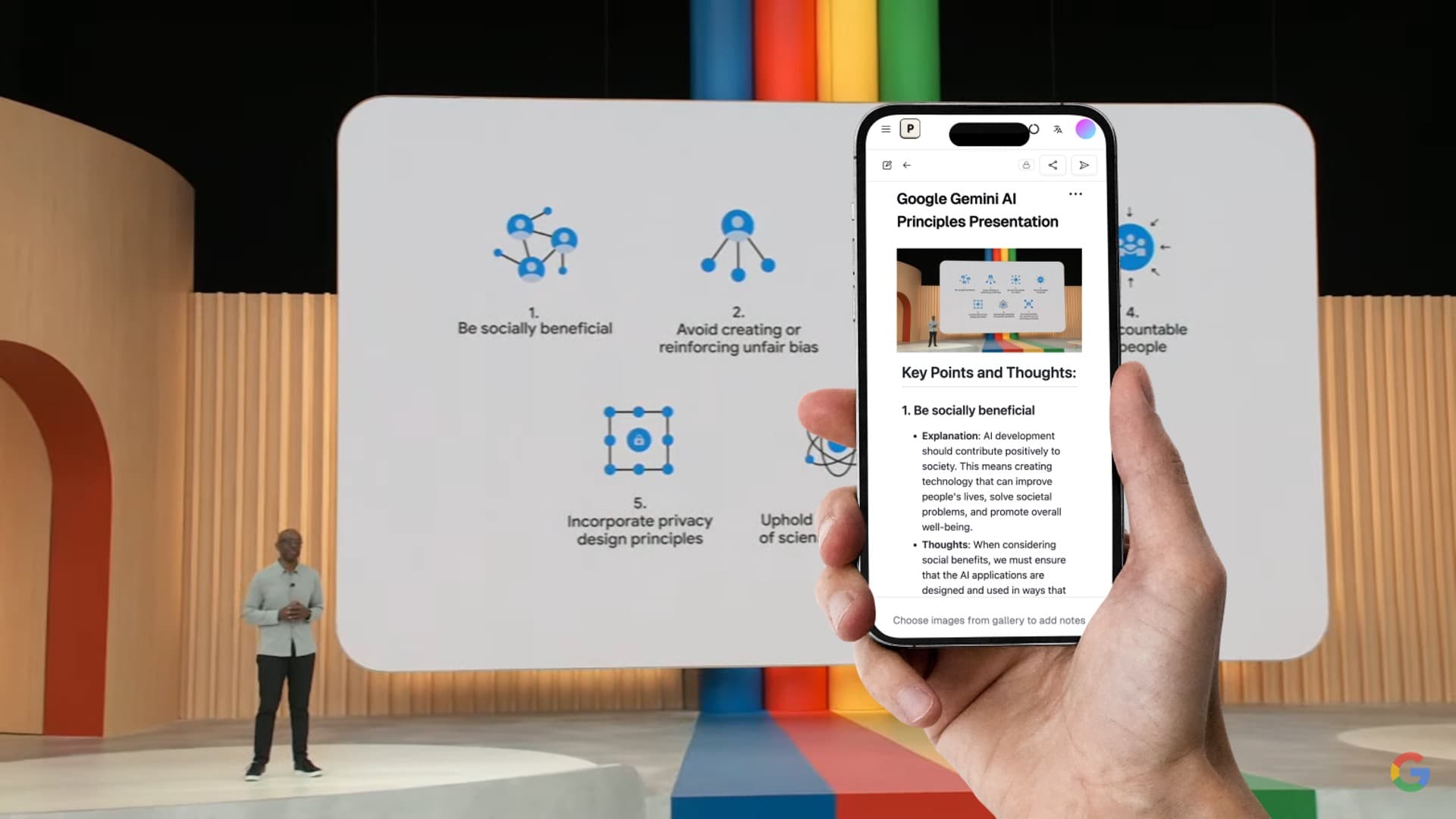
Free AI Note Generator Tools Compared: 8 Best Options in 2026
You need organized study notes from your lecture slides, textbook photos, or recorded classes — but you don't want to pay $10-20/month for yet another subscription.
The frustration is real. Most "free" AI note generators either limit you to 3 uses before hitting a paywall, watermark your exports, or restrict the one feature you actually need. You spend 20 minutes uploading content only to discover the tool wants your credit card before showing results.
Good news: several AI note generators offer genuinely useful free tiers in 2026. Some let you process dozens of files monthly. Others give you unlimited access to core features. The key is knowing which free plan matches your workflow — and where free tiers fall short.
This guide compares 8 AI note generators with real free plans, ranks them by what you actually get for free, and identifies when upgrading makes sense.
Quick Comparison: Free AI Note Generators
| Tool | Free Tier Limit | Slides/Images → Notes | Audio → Notes | Export Options | Best Free Use Case |
|---|---|---|---|---|---|
| Pixno (opens in a new tab) | 50 credits/month | Yes | Yes | Markdown, Notion, Docs | Visual content notes |
| Google NotebookLM | Unlimited (beta) | Limited | YouTube only | Google Docs | Multi-doc research |
| ChatGPT (free) | Limited messages/day | Via upload | No | Copy-paste | Quick summaries |
| NoteGPT | 15 summaries/month | No | Video only | PDF, Markdown | YouTube video notes |
| Knowt | Limited features | No | No | Flashcard generation | |
| StudyFetch | 2 uploads | Partial | Yes | Lecture study guides | |
| Microsoft Copilot | Limited/day | Via upload | No | Copy-paste | Office document notes |
| Obsidian + AI | Unlimited (self-hosted) | Via plugins | Via plugins | Markdown | Local-first notes |
Detailed Free Tier Breakdown
1. Pixno — Best Free AI Note Generator for Visual Content
Free tier: 50 credits per month (1 credit per image/slide processed)
What you get for free:
- Upload up to 50 slides or images per month
- Full AI note generation from lecture slides, photos, whiteboards, and handwritten content
- Markdown, Notion, and Google Docs export
- Multi-language support (English, Chinese, Japanese, Spanish, and 10+ more)
- Same AI quality as paid plans — no feature restrictions
What's limited:
- 50 credits/month cap (roughly 2-3 full lecture decks)
- Audio transcription uses more credits
Who it's best for: Students who work primarily with slides and images. Fifty credits covers a couple of lecture decks per month, which handles most mid-semester workloads. During exam season, upgrading to the $3/month plan gives unlimited access.
Pixno (opens in a new tab) stands out as the only free AI note generator that handles visual content well. Other free tools either skip images entirely or treat them as basic OCR text extraction. Pixno interprets diagrams, charts, tables, and handwritten annotations — turning them into meaningful, structured notes rather than random text strings.
Turn photos to notes and knowledge base
Pixno is your AI note taking assistant that turn photos, audio, docs into well structured text notes and create your personal knowledge base.
Get Started2. Google NotebookLM — Best Completely Free Option
Free tier: Unlimited use (Google account required)
What you get for free:
- Upload PDFs, Google Docs, web pages, and YouTube URLs
- AI-generated summaries and notes across multiple sources
- Source citations in responses
- Audio overview generation
- Full access to all features during beta
What's limited:
- Weak handling of images, diagrams, and slides
- No direct audio file upload (YouTube only)
- Tied to Google ecosystem
- Beta status means features could change
Who it's best for: Researchers and students who work primarily with text documents. If your study materials are PDFs and articles rather than slides and images, NotebookLM offers the most generous free plan available.
3. ChatGPT (Free Tier) — Best for Quick One-Off Summaries
Free tier: Limited messages per day (GPT-4o mini)
What you get for free:
- Text summarization and note generation
- Image upload for analysis (limited)
- File upload for document processing
- Conversational follow-up questions
What's limited:
- Daily message cap
- No batch processing (one file at a time)
- No structured note format (requires careful prompting)
- Output quality varies — needs manual formatting
- No persistent notebooks or organization
Who it's best for: Occasional use when you need a quick summary of a single document or image. Not practical for regular note-taking workflows because of usage limits and lack of structure.
4. NoteGPT — Best Free YouTube Note Generator
Free tier: 15 summaries per month
What you get for free:
- YouTube video summarization with timestamps
- Video transcript generation
- Mind map creation from videos
- PDF and Markdown export
What's limited:
- Only 15 summaries per month
- No image or slide processing
- No audio file support (video URLs only)
- Advanced features (AI chat, long videos) require paid plan
Who it's best for: Students who watch lecture recordings or educational videos on YouTube. Fifteen summaries cover a couple weeks of online lectures.
5. Knowt — Best Free Flashcard Generator
Free tier: Limited features with ads
What you get for free:
- Note upload and AI flashcard generation
- Practice quiz creation
- Spaced repetition review
- Basic import from Quizlet
What's limited:
- No AI note generation from raw content
- Requires existing notes as input
- Limited export options on free plan
- Ad-supported
Who it's best for: Students who already have notes and need to convert them into study materials. Knowt doesn't generate notes — it transforms existing notes into flashcards and quizzes.
6. StudyFetch — Best Free Trial for Lecture Content
Free tier: 2 uploads
What you get for free:
- 2 lecture slide or document uploads
- AI study guide generation
- Flashcard creation
- Practice quiz mode
What's limited:
- Only 2 uploads total (not per month — total)
- Limited to evaluating the tool
- Full functionality requires $7.99/month
Who it's best for: Trying out AI study guide generation before committing to a paid plan. The free tier is a trial, not a sustainable free tool.
7. Microsoft Copilot — Best Free Option for Office Users
Free tier: Limited conversations per day
What you get for free:
- Text and document summarization
- Image analysis via upload
- Web search integration
- Access to GPT-4 (limited)
What's limited:
- Daily conversation limits
- No batch processing
- No structured note output format
- No persistent note storage
- Better features require Microsoft 365 Copilot subscription ($30/user/month)
Who it's best for: Quick summaries when you're already in the Microsoft ecosystem. Not a dedicated note generator, but handles one-off document analysis adequately.
8. Obsidian + Free AI Plugins — Best for Technical Users
Free tier: Unlimited (self-hosted)
What you get for free:
- Full Obsidian app (free for personal use)
- Community AI plugins (Smart Connections, Text Generator)
- Local storage — your data stays on your device
- Complete customization
What's limited:
- Requires technical setup (plugin installation, API key configuration)
- AI quality depends on which model provider you connect
- API usage may cost money (OpenAI, Anthropic keys)
- No image-to-notes out of the box without additional configuration
Who it's best for: Technical users who want privacy and control. The setup barrier is real — expect 30-60 minutes configuring plugins and API keys before you generate your first note.
Free AI Note Generators Ranked by Value
Here's how each tool ranks when you evaluate the actual value of the free tier:
| Rank | Tool | Free Tier Value | Why |
|---|---|---|---|
| 1 | Google NotebookLM | Excellent | Unlimited use, full features (text only) |
| 2 | Pixno | Very Good | 50 credits/mo covers real workloads; handles images |
| 3 | ChatGPT | Good | Versatile but unstructured output |
| 4 | NoteGPT | Good | 15 summaries/mo for video content |
| 5 | Obsidian + AI | Good | Unlimited but requires setup + API costs |
| 6 | Microsoft Copilot | Fair | Limited daily use, not note-focused |
| 7 | Knowt | Fair | Flashcards only, not note generation |
| 8 | StudyFetch | Poor | 2 uploads total — a trial, not a free plan |
Best Free Combinations for Different Workflows
No single free tool covers every use case. Here are the best free combinations:
For College Students (Slides + Readings)
| Content Type | Use This Free Tool |
|---|---|
| Lecture slides and photos | Pixno (opens in a new tab) (50 credits/mo) |
| Research papers and PDFs | Google NotebookLM |
| YouTube lecture recordings | NoteGPT (15/mo) |
| Study flashcards | Knowt |
Total cost: $0/month. This combination covers the four most common student content types without paying anything.
For Professionals (Documents + Meetings)
| Content Type | Use This Free Tool |
|---|---|
| Whiteboard photos | Pixno (opens in a new tab) |
| Report summarization | ChatGPT or Microsoft Copilot |
| Meeting notes (text) | Google NotebookLM |
For Researchers (Papers + Multi-Source)
| Content Type | Use This Free Tool |
|---|---|
| Academic papers | Google NotebookLM |
| Figures and diagrams | Pixno (opens in a new tab) |
| Literature synthesis | Google NotebookLM |
When to Upgrade from Free to Paid
Free tiers work well for light to moderate use. Here's when paying makes sense:
| Signal | Action |
|---|---|
| Hitting the 50-credit limit on Pixno regularly | Upgrade to Pixno paid ($3/mo) for unlimited |
| Processing more than 15 videos/month | Upgrade NoteGPT ($9.99/mo) |
| Need real-time lecture transcription | Consider Otter.ai or StudyFetch paid |
| Want everything in one tool | Notion AI ($12/mo) integrates with workspace |
| Exam season (heavy usage for 2-3 months) | Monthly subscription, cancel after exams |
The smart approach: Stay on free tiers during normal weeks. Upgrade only for heavy-use periods like midterms and finals. Monthly subscriptions let you pay only when you need the extra capacity.
FAQ
What is the best completely free AI note generator?
Google NotebookLM offers the most generous free plan with unlimited use for text documents and PDFs. For image and slide content, Pixno (opens in a new tab) provides 50 free credits per month — enough for regular student use. Combining both tools gives you comprehensive free note generation.
Can I generate notes from images for free?
Yes. Pixno (opens in a new tab) allows you to convert up to 50 images per month into structured notes for free. This includes photos of whiteboards, textbook pages, handwritten notes, and lecture slides. Other free tools either don't support images or offer very limited image processing.
Are free AI note generators good enough for studying?
For most students, yes. Free tiers from Pixno (50 credits), Google NotebookLM (unlimited text), and NoteGPT (15 videos) cover typical weekly study needs. Quality matches paid tiers — the only difference is usage volume. During exam prep, you may want to temporarily upgrade for unlimited access.
Do free AI note generators store my data?
It varies by tool. Obsidian + AI plugins stores everything locally on your device. Google NotebookLM stores data in Google's cloud. Pixno stores uploaded content securely for processing but lets you delete it anytime. Always check each tool's privacy policy, especially when uploading exam materials or research data.
Which free AI note generator works with PowerPoint slides?
Pixno (opens in a new tab) processes PowerPoint files directly in its free tier. Upload your .pptx file and Pixno generates structured notes from each slide, including charts, diagrams, and tables. Google NotebookLM can process PDFs but doesn't handle native PowerPoint files or visual slide content as effectively.
Related Reading
- Note Maker AI: 7 Best Tools to Turn Content into Notes — Full comparison of paid and free AI note makers
- AI Notes Generator: How to Auto-Generate Study Notes — Step-by-step guide for generating notes from any source
- Best AI Note Taking Apps in 2026 — Comprehensive comparison of 10 AI note-taking tools
- How to Turn PowerPoint Slides into Study Notes — Tutorial for converting slides to notes
- How to Convert Handwriting to Text — Digitize handwritten notes with AI
- Best AI Tools in 2026 — Top 12 AI tools across productivity, study, and creative work