
- Name
- Tison Brokenshire
Updated on
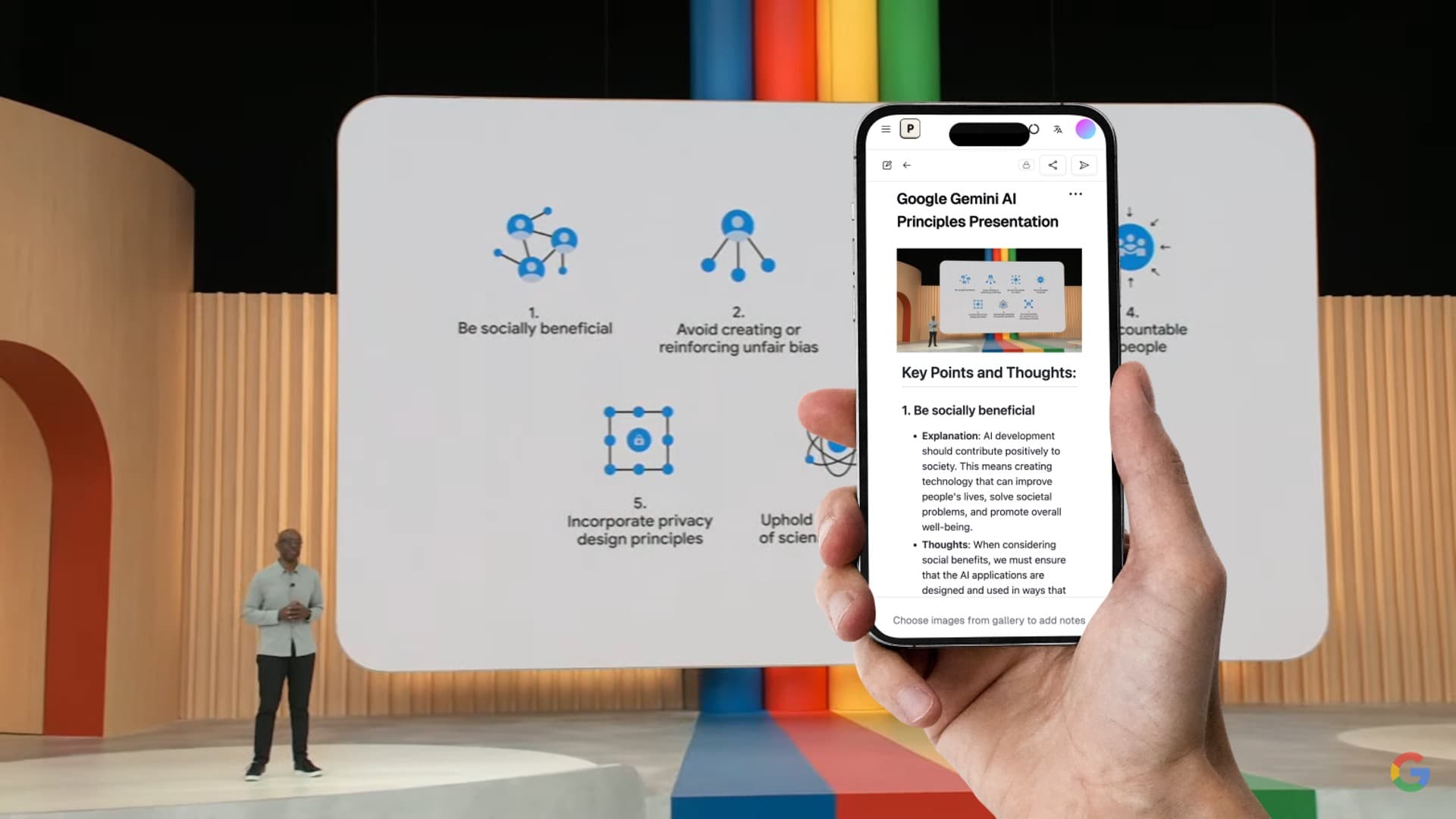
Note Maker AI: 7 Best Tools to Turn Any Content into Organized Notes
You have 40 lecture slides, a whiteboard photo, two textbook pages, and an hour-long audio recording. All of this needs to become study notes before your exam next Friday.
Writing notes manually from all these sources takes an entire day. You start with the slides, get through half of them, then realize you haven't even touched the audio recording. By the time you finish, the notes are inconsistent — some sections are detailed, others are rushed, and the whiteboard photo never got transcribed at all.
AI note maker tools solve this by converting raw content into organized, structured notes in minutes. They read your slides, interpret your images, transcribe your audio, and produce clean notes with proper headings, bullet points, and key takeaways. The problem is choosing the right one — each note maker AI tool handles different input types, and picking the wrong one wastes both time and money.
This guide compares the 7 best AI note maker tools available in 2026, explains what to look for, and helps you pick the right tool for your workflow.
What Makes a Good AI Note Maker?
Not all AI note makers work the same way. Some tools are just text summarizers that condense existing notes. Others are full content processors that take raw materials and produce organized notes from scratch. Here's what separates a good AI note maker from a basic summarizer:
| Feature | Good AI Note Maker | Basic Summarizer |
|---|---|---|
| Input types | Images, slides, audio, video, PDFs | Text only |
| Content understanding | Interprets diagrams, tables, charts | Processes words only |
| Output structure | Headings, sections, key takeaways | Shortened paragraphs |
| Visual content | Converts images to meaningful notes | Ignores images |
| Organization | Groups related concepts automatically | Linear summary |
| Export options | Markdown, Notion, Google Docs, Word | Copy-paste text |
The core capability you need: the tool should take content you haven't organized yet (raw slides, photos, recordings) and turn it into something you can study or reference immediately.
7 Best AI Note Maker Tools Compared (2026)
| Tool | Best For | Slides/Images → Notes | Audio → Notes | Price | Free Tier |
|---|---|---|---|---|---|
| Pixno (opens in a new tab) | Visual content, slides, images | Yes (best) | Yes | $3/mo | 50 credits/mo |
| Google NotebookLM | Multi-document research | Limited | Yes (YouTube) | Free | Generous |
| NoteGPT | YouTube video notes | No | Yes (video) | $9.99/mo | 15/mo |
| StudyFetch | Lecture slide study guides | Partial | Yes | $7.99/mo | 2 uploads |
| Notion AI | Workspace note organization | Limited | No | $12/user/mo | Trial only |
| Knowt | Flashcards and quiz prep | No | No | $5.99/mo | Limited |
| Obsidian + AI Plugins | Local-first knowledge base | Via plugins | Via plugins | Free + plugins | Full (self-hosted) |
1. Pixno — Best AI Note Maker for Visual Content
Best for: Students and professionals who work with slides, images, whiteboards, and mixed media content.
Pixno is built specifically for turning visual content into text notes. Upload lecture slides, textbook photos, whiteboard images, or handwritten notes, and Pixno generates structured notes that capture both text and visual information.
What sets Pixno apart from other note makers is its image understanding. A photo of a biology diagram doesn't become a random list of labels — it becomes organized notes explaining each component, their relationships, and the key concepts illustrated. Charts get interpreted with their data points and trends. Tables stay formatted as tables.
Key capabilities:
- Process PowerPoint, PDF, and Google Slides files directly
- Convert whiteboard and textbook photos into structured notes
- Transcribe audio recordings into organized notes
- Export to Markdown, Notion, Obsidian, Google Docs, and MS Word
- Multi-language support (English, Chinese, Japanese, Spanish, French, German, and more)
Pricing: Free tier with 50 credits per month. Paid plans start at $3/month.
Turn photos to notes and knowledge base
Pixno is your AI note taking assistant that turn photos, audio, docs into well structured text notes and create your personal knowledge base.
Get Started2. Google NotebookLM — Best Free AI Note Maker
Best for: Researchers and students who need to synthesize notes from multiple documents.
Google NotebookLM lets you upload PDFs, Google Docs, web pages, and YouTube URLs into a "notebook," then ask questions or generate summaries across all your sources. It cites specific sources in its responses, making it useful for academic work where you need to track where information came from.
The main limitation: NotebookLM doesn't handle images or slides as well as dedicated visual note makers. It processes text content from documents effectively but struggles with charts, diagrams, and photos.
Pricing: Free.
3. NoteGPT — Best for YouTube and Video Notes
Best for: Students who learn from online lectures, tutorials, and course videos.
NoteGPT specializes in video content. Paste a YouTube URL and it generates a timestamped summary, full transcript, and even a mind map of the key topics covered. This works well for online courses, tutorial videos, and recorded lectures posted on YouTube.
The tool doesn't handle images, slides, or audio files — it's focused specifically on video URLs and document summaries.
Pricing: Free tier with 15 summaries per month. Paid plans start at $9.99/month.
4. StudyFetch — Best for Lecture Slide Study Guides
Best for: College students who need to turn lecture materials into exam prep resources.
StudyFetch focuses on the academic use case. Upload lecture slides or recordings and it generates study guides, flashcards, practice quizzes, and structured notes. The "Live Lecture" mode transcribes classes in real time.
It handles slides and audio reasonably well, though image interpretation (photos, whiteboard captures) is limited compared to Pixno.
Pricing: Free tier with 2 uploads. Paid plans start at $7.99/month.
5. Notion AI — Best for Workspace Note Organization
Best for: Teams and individuals who already use Notion as their knowledge base.
Notion AI works within the Notion ecosystem. It can summarize existing notes, generate text from prompts, and organize content within your Notion workspace. The strength is integration — your AI-generated notes live alongside your existing knowledge base.
The limitation: Notion AI doesn't accept images, slides, or audio as direct input. It works with text already in your Notion workspace, not raw source materials.
Pricing: $12/user/month (add-on to Notion plans).
6. Knowt — Best for Flashcard-Based Study Notes
Best for: Students who prefer flashcard and quiz-based studying.
Knowt takes your notes or uploaded documents and automatically generates flashcards and practice quizzes. It uses spaced repetition algorithms to help you review effectively.
The tool is focused on the study/review phase rather than the note-creation phase. It works best when you already have notes and need to convert them into study materials.
Pricing: Free tier with limited features. Paid plans start at $5.99/month.
7. Obsidian + AI Plugins — Best for Power Users
Best for: Users who want full control over their notes with local storage and customizable AI.
Obsidian is a local-first note-taking app with a plugin ecosystem. Adding AI plugins (like Smart Connections, Text Generator, or Copilot) gives you note generation capabilities within a privacy-focused, customizable environment.
The trade-off: setup requires technical knowledge, and AI quality depends on which plugin and model you use. No single plugin matches the out-of-box experience of dedicated AI note makers.
Pricing: Obsidian is free. AI plugins range from free to $10-20/month depending on the model provider used.
Best AI Note Maker by Use Case
Different workflows need different tools. Use this table to find the right fit:
| If You Need... | Best Choice | Why |
|---|---|---|
| Notes from lecture slides | Pixno | Best visual content understanding, reads charts and diagrams |
| Notes from whiteboard photos | Pixno | GPT-4 Vision-powered image interpretation |
| Notes from YouTube videos | NoteGPT | Timestamped summaries from video URLs |
| Notes from multiple research papers | Google NotebookLM | Cross-source synthesis with citations |
| Notes from audio recordings | Pixno or StudyFetch | Transcription plus structuring |
| Flashcards from existing notes | Knowt | Spaced repetition and quiz generation |
| Notes within Notion workspace | Notion AI | Seamless workspace integration |
| Full control and local storage | Obsidian + AI | Privacy-first with customizable plugins |
How to Use Pixno as Your AI Note Maker
Here's the step-by-step workflow for creating organized notes from any source using Pixno:
Step 1: Create a new notebook
Open Pixno (opens in a new tab) and start a new notebook. Each notebook keeps related content together — one notebook per class, project, or topic.
Step 2: Upload your source material
Add your raw content:
- Slides: Upload PowerPoint (.pptx), PDF, or Google Slides directly
- Images: Drag and drop photos of whiteboards, textbooks, or handwritten notes
- Audio: Upload lecture recordings or meeting audio files
- Mixed: Combine multiple input types in one notebook
Step 3: Generate structured notes
Pixno processes each piece of content using AI. Slides get interpreted slide-by-slide with visual elements included. Images get analyzed for text, diagrams, and context. Audio gets transcribed and structured.
The output is organized notes with:
- Clear headings and sections
- Bullet points for key concepts
- Tables preserved in their original format
- Diagrams described with their meaning
- Key takeaways highlighted
Step 4: Review and refine
Scan the generated notes for accuracy. Technical terms, proper nouns, and specialized vocabulary occasionally need manual correction. This review step takes 3-5 minutes — far less than writing notes from scratch.
Step 5: Export to your preferred tool
Send your notes where you actually study:
- Markdown — For Obsidian, Typora, or any markdown editor
- Notion — Direct export to your Notion workspace
- Google Docs — For sharing and collaboration
- MS Word — For printing or formal submissions
The entire process — from raw content to finished, exportable notes — takes under 10 minutes for a typical lecture's worth of material.
Free vs Paid AI Note Makers
If budget is a concern, here's how free and paid options compare:
| Feature | Free Options | Paid Options |
|---|---|---|
| Best free tool | Google NotebookLM | — |
| Image/slide notes | Pixno (50 credits/mo free) | Pixno ($3/mo unlimited) |
| Video notes | NoteGPT (15/mo free) | NoteGPT ($9.99/mo) |
| Document synthesis | Google NotebookLM (free) | Notion AI ($12/mo) |
| Study materials | Knowt (limited free) | StudyFetch ($7.99/mo) |
| Quality difference | Good for occasional use | Better for daily use |
| Usage limits | Restricted uploads/credits | Unlimited or high limits |
For most students: Start with Pixno's free tier (50 credits/month) for slide and image notes, plus Google NotebookLM for document research. This combination covers the most common use cases without spending anything.
For heavy users: Pixno's $3/month plan gives unlimited access to image, slide, and audio note generation — the best value among paid AI note makers.
AI Note Maker vs Manual Note-Taking: When to Use Each
AI note makers don't replace manual note-taking entirely. Each approach has clear strengths:
| Scenario | Better Approach | Reason |
|---|---|---|
| Post-lecture review | AI note maker | Captures everything from slides/recordings quickly |
| During a discussion-based class | Manual notes | Capturing your own thoughts and reactions |
| Processing visual content (slides, photos) | AI note maker | Humans can't efficiently transcribe visual content |
| Studying for exams | Both | AI notes for completeness, manual annotation for retention |
| Meeting minutes | AI note maker | Captures decisions and action items accurately |
| Creative brainstorming | Manual notes | Personal ideas need personal capture |
The most effective strategy: use an AI note maker to generate the base notes (complete, structured, nothing missed), then manually review and annotate them. This combines the completeness of AI with the retention benefits of active engagement.
FAQ
What is the best AI note maker for students?
Pixno is the best overall AI note maker for students because it handles the widest range of input types — lecture slides, whiteboard photos, textbook images, and audio recordings all convert to structured study notes. For a free option, Google NotebookLM works well for document-based research.
Can an AI note maker handle handwritten notes?
Yes. Pixno uses vision AI to interpret handwritten content, going beyond basic OCR to understand context, diagrams, and annotations. The accuracy depends on handwriting legibility, but it handles most handwriting styles effectively — including messy lecture notes.
Is there a free AI note maker that works with images?
Pixno offers 50 free credits per month, which covers image-to-notes conversion. Each image upload uses one credit, so you can process up to 50 images monthly without paying. For unlimited image processing, paid plans start at $3/month.
How accurate are AI-generated notes?
AI note makers produce notes that are 90-95% accurate for standard content (typed slides, clear audio, printed text). Accuracy drops slightly for handwritten content, heavy accents in audio, or highly specialized technical vocabulary. Always review generated notes before using them for important tasks like exam preparation.
Do AI note makers work in languages other than English?
Most AI note makers support multiple languages. Pixno processes and generates notes in English, Chinese (Simplified and Traditional), Japanese, Korean, Spanish, French, German, Italian, Portuguese, and more. The tool auto-detects input language and generates notes in the same language by default.
Related Reading
- AI Notes Generator: How to Auto-Generate Study Notes — Detailed guide on generating notes from different source types
- Best AI Note-Taking Apps in 2026 — Full comparison of 10 AI note-taking tools
- How to Turn PowerPoint Slides into Study Notes — Step-by-step guide for slides to notes
- How to Convert Handwriting to Text — Guide for digitizing handwritten notes
- Effective Note-Taking Tips for Class — Practical note-taking techniques
- Free AI Note Generator Tools Compared — Best free note generators for students
- Convert Lecture Slides to Notes — Step-by-step guide for slide conversion
- Best AI Tools in 2026 — Top 12 AI tools for productivity, study, and creativity
- Best Image to Text AI Tools — Compare OCR and text extraction tools